
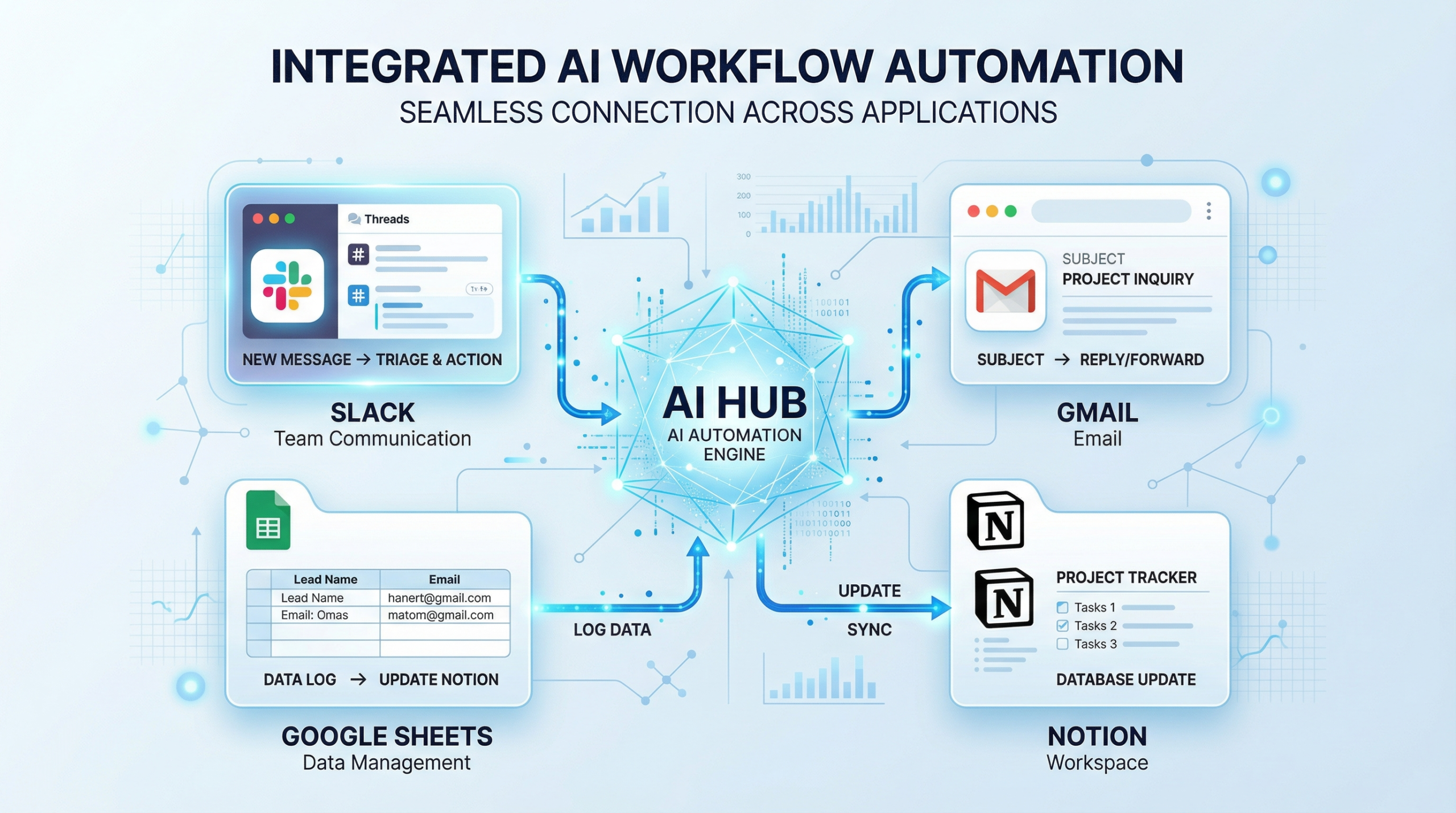
The AI productivity tools 2026 has fundamentally transformed how modern teams work. What once required complex coding or manual data entry can now be accomplished through natural language commands and intelligent automation. As we head into 2026, AI productivity tools have evolved from experimental novelties into essential business infrastructure.
If you’re struggling with repetitive tasks, siloed data, or fragmented workflows, the right AI automation tools can reclaim dozens of hours each week for your team. This comprehensive guide explores the best AI productivity tools in 2026, helping you choose solutions that actually deliver measurable results.
Why Matter AI Productivity Tools 2026
78% of enterprises report struggling to integrate AI with their current tech stacks. This challenge represents both a problem and an opportunity—the organizations that solve it gain significant competitive advantages.
AI productivity tools address this integration gap by serving as orchestration layers that coordinate how your apps, data, and AI models interact. Rather than forcing you to replace your entire toolset, these platforms enhance what you already use.
Key Benefits of AI Productivity Tools
- Eliminate repetitive manual tasks (data entry, email sorting, report generation)
- Reduce integration complexity across your software ecosystem
- Accelerate decision-making with AI-powered insights and analysis
- Free team capacity for strategic, high-value work
- Improve data accuracy through intelligent automation
- Scale operations without proportional headcount increase
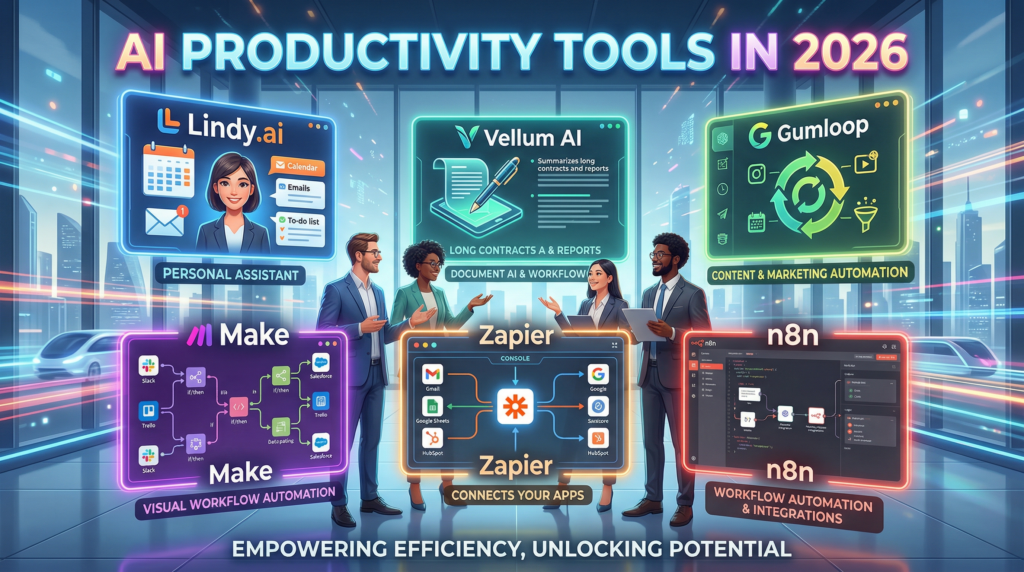
The Best AI Productivity Tools for 2026
1. Zapier: The Premier AI Orchestration & Automation Platform
Best for: Non-technical teams, SaaS automation, AI-powered workflow building
Zapier stands out as the best AI productivity tool for AI orchestration and automation, connecting over 8,000+ apps seamlessly. It’s built as a centralized hub where your tools and AI work together intelligently across your entire tech stack.
Key Features:
Copilot (Natural Language Workflow Builder) Describe what you want to happen—”summarize new leads in Slack every morning”—and Copilot automatically drafts a complete workflow. It connects your accounts, maps data, and tests each step without manual coding.
AI by Zapier Built-in access to ChatGPT without requiring your own API key. Extract data, generate text, summarize content, and analyze information directly within automated workflows.
Zapier Agents Intelligent, autonomous AI teammates that take multi-step actions across your entire tech stack. These AI agents for productivity handle everything from drafting emails to preparing reports. A Chrome extension lets you trigger agents from anywhere on the web.
Chatbots by Zapier No-code custom bots trained on your own content (help centers, websites, documentation). They answer questions, guide customers, and handle internal requests while staying current with automatic content updates.
Tables A flexible, spreadsheet-style database that stores and organizes data your AI automation workflows depend on. Track projects, leads, business data, and connect directly to Zaps or AI workflows.
Pricing:
- Free Tier: 100 tasks/month
- Professional: Starting $19.99/month (annual billing)
- Team: Starting $69/month (up to 25 users)
- Enterprise: Custom pricing
Why Choose Zapier:
With 8,000+ integrations and a user-friendly builder, Zapier eliminates the friction of switching between applications. It’s the fastest path to workflow automation for non-technical teams.
Visit : www.zaiper.com
2. n8n: The Developer-First Automation Platform
Best for: Technical teams, complex workflows, self-hosted deployments
n8n delivers complete flexibility for organizations requiring advanced automation control. It’s source-available, allowing self-hosting on private servers for organizations with strict security requirements.
Key Features:
- Visual workflow builder with JavaScript and Python step support
- Self-hosting capability for sensitive data and compliance requirements
- Complex branching logic for sophisticated automations
- Extensive integration library with 800+ pre-built nodes
- Data transformation tools for handling complex processing needs
Pricing:
- Free Self-Hosted: Unlimited (self-managed)
- Cloud Free Tier: Limited features
- Cloud Pro: Starting $20/month
- Cloud Business: Custom pricing
Why Choose n8n:
If your team has development expertise and requires complete control over automation infrastructure, n8n provides the technical depth that enterprise automation demands.
3. Make (Integromat): Visual Automation for Complex Scenarios
Best for: Scenario-based automation, detailed data transformation, mid-market teams
Make excels at scenario building with granular control over data flow. Its visual builder makes complex automations accessible without requiring coding expertise.
Key Features:
- Scenario builder with detailed visual mapping
- Advanced data transformation modules
- Conditional logic for sophisticated workflows
- 1000+ integrations across business software
- Real-time monitoring and error handling
Pricing:
- Free Tier: Limited automations
- Core: Starting $9/month
- Pro: Starting $29/month
- Business: Starting $99/month
Why Choose Make:
For teams needing detailed control over data transformation and conditional logic, Make offers powerful scenario-building capabilities at competitive pricing.
4. Gumloop: No-Code AI Workflow Automation
Best for: Solo creators, small teams, rapid AI workflow prototyping
Gumloop simplifies AI automation by eliminating the need for API keys. The platform includes the Gummie AI assistant that builds workflows through natural conversation.
Key Features:
- No API key requirement for AI model access
- Gummie AI assistant that drafts workflows from descriptions
- Visual drag-and-drop canvas for connecting tools and AI
- Pre-built templates for common automation scenarios
- MCP (Model Context Protocol) support for advanced integrations
Pricing:
- Free Tier: Available
- Solo Plan: $30/month
- Team Plans: Starting $97/month
Why Choose Gumloop:
For creators and small teams wanting to build AI-powered automation without technical complexity, Gumloop delivers speed and simplicity.
5. Vellum AI: Enterprise-Grade AI Workflow Automation
Best for: Enterprise teams, production-grade automations, governance-focused organizations
Vellum AI combines a clean visual builder with developer-depth features including evaluations, versioning, and observability—essential for enterprise deployments.
Key Features:
- No-code agent building through prompting
- Built-in evaluations and regression testing
- Version control and environments (dev/stage/prod)
- End-to-end observability with traces and cost metrics
- Flexible deployment (cloud, VPC, on-premise)
- AI-native primitives (retrieval, semantic routing, tool calling)
Pricing:
- Free Tier: Available
- Paid Plans: Starting $25/month
- Enterprise: Custom pricing
Why Choose Vellum:
Organizations requiring audit-ready governance, compliance tracking, and production-grade reliability benefit from Vellum’s enterprise focus.
6. Lindy.ai: Straightforward AI Automation for Teams
Best for: Mid-market teams, voice-enabled automation, 4000+ integrations
Lindy.ai emphasizes simplicity without sacrificing power. Its AI agent capabilities enable autonomous task execution across your software ecosystem.
Key Features:
- 4,000+ integrations across business apps
- AI voice capabilities for hands-free automation
- Simple interface designed for non-technical users
- Autonomous agents that handle multi-step tasks
- Real-time monitoring and execution logs
Pricing:
- Free Tier: Available
- Pro Plan: Starting $39.99/month
- Enterprise: Custom pricing
Why Choose Lindy.ai:
Teams wanting straightforward automation with voice capabilities and extensive integrations find Lindy.ai’s balance of simplicity and power compelling.
Comparison Table: Top AI Productivity Tools
| Tool | Best For | Key Strength | Integrations | Starting Price | Best Feature |
|---|---|---|---|---|---|
| Zapier | Non-technical teams, SaaS automation | Largest integration library, easiest UI | 8,000+ | Free tier | Copilot natural language builder |
| n8n | Technical teams, complex workflows | Self-hosting, complete control | 800+ | Free (self-hosted) | Source-available, on-premise option |
| Make | Scenario building, data transformation | Visual scenario designer, detailed control | 1,000+ | $9/month | Advanced conditional logic |
| Gumloop | Solo creators, rapid prototyping | No API keys required, AI assistant | 500+ | $30/month | Gummie AI workflow builder |
| Vellum AI | Enterprise, production-grade | Governance, versioning, observability | 400+ | $25/month | Built-in evaluations & compliance |
| Lindy.ai | Mid-market, voice automation | Voice-enabled agents, simplicity | 4,000+ | $39.99/month | Autonomous AI voice agents |
Also Visit : most visited websites in 2026
How AI Productivity Tools Work: The Technical Foundation
AI Orchestration Explained
AI orchestration is the process of coordinating how your AI models, apps, and data sources interact. Rather than treating each tool independently, orchestration layers like Zapier create unified workflows where:
- Real-time triggers activate automations based on specific events
- AI models analyze data and make intelligent decisions
- Multiple apps receive coordinated actions simultaneously
- Data flows seamlessly between systems without manual intervention
Key Technologies Powering Modern AI Productivity Tools
Natural Language Processing (NLP) Enables platforms like Zapier’s Copilot to understand your automation requests in plain English, then translate them into executable workflows.
Generative AI Integration Built-in access to models like ChatGPT allows productivity tools to generate content, summarize information, and create intelligent responses within workflows.
Machine Learning Enables tools to learn from your automation patterns and suggest optimization opportunities automatically.
API-First Architecture Modern AI automation platforms connect seamlessly with thousands of business applications through robust API integrations.
Top Use Cases for AI Productivity Tools in 2026
1. Lead Management & Sales Automation
Scenario: Automatically capture leads from web forms, enrich data with AI analysis, and route qualified leads to sales teams in real-time.
Tools: Zapier, n8n, Make Time Saved: 10+ hours/week per sales rep
2. Content Creation & Publishing
Scenario: Generate social media posts, blog summaries, and email newsletters using AI, then publish across multiple channels automatically.
Tools: Zapier with AI by Zapier, Gumloop Time Saved: 15+ hours/week per content creator
3. Customer Support Automation
Scenario: Deploy AI chatbots trained on your knowledge base to answer common questions, escalate complex issues, and maintain conversation logs.
Tools: Zapier Chatbots, Lindy.ai Time Saved: 20+ hours/week per support team
4. Data Integration & Reporting
Scenario: Synchronize data across CRM, accounting software, and analytics platforms. Generate automated reports with AI insights.
Tools: n8n, Make, Zapier Time Saved: 12+ hours/week per analyst
5. Employee Onboarding
Scenario: Automate document collection, account provisioning, and training material delivery through AI-powered workflows.
Tools: Zapier, Gumloop Time Saved: 8+ hours per new employee
6. Inventory & Supply Chain Management
Scenario: Monitor inventory levels, trigger purchase orders when stock drops, and update suppliers automatically.
Tools: n8n, Make Time Saved: 5+ hours/week per operations manager
Choosing the Right AI Productivity Tool for Your Team
Evaluation Criteria
1. Integration Needs
- Zapier & Lindy.ai excel with 4,000-8,000+ integrations
- n8n offers flexibility through custom integrations
- Make balances breadth with data transformation power
2. Technical Skill Level
- No-code focus: Zapier, Gumloop, Lindy.ai
- Developer-friendly: n8n, Make
- Enterprise-ready: Vellum AI
3. Budget Constraints
- Tight budget: Make ($9/month), free tiers
- Mid-market: Zapier ($19.99/month), Lindy.ai ($39.99/month)
- Enterprise: Vellum AI, Zapier Enterprise (custom pricing)
4. Deployment Requirements
- Cloud-only: Zapier, Gumloop, Lindy.ai
- Self-hosted option: n8n
- Flexible deployment: Vellum AI (cloud, VPC, on-premise)
5. Compliance & Security
- GDPR/HIPAA focus: Vellum AI
- Data residency options: n8n (self-hosted)
- Enterprise SSO: Zapier Team tier
Quick Selection Guide
Choose Zapier if: You want the easiest path to automation with 8,000+ integrations and zero coding required.
Choose n8n if: Your team has development expertise and needs complete control over infrastructure.
Choose Make if: You need advanced data transformation and scenario-based automation logic.
Choose Gumloop if: You’re a solo creator or small team wanting rapid AI workflow prototyping.
Choose Vellum AI if: Your organization requires enterprise governance, compliance, and production-grade reliability.
Choose Lindy.ai if: You want straightforward automation with voice capabilities and extensive integrations.
Implementation Best Practices for AI Productivity Tools
Phase 1: Quick Wins (Week 1-2)
Start with a single high-impact automation that saves your team the most time. Examples:
- Slack notifications for new leads
- Automated email responses
- Daily report generation
Success metric: Track hours saved in your first week.
Phase 2: Expand Gradually (Week 3-8)
Build 2-3 additional automations based on learnings from Phase 1. Document your workflow patterns.
Success metric: Measure cumulative time savings across team.
Phase 3: Scale Across Departments (Month 3+)
Apply successful automation patterns to other teams. Create templates for common workflows.
Success metric: Calculate ROI and secure budget for enterprise-wide adoption.
Common Challenges & Solutions
Challenge 1: Integration Complexity
Problem: Your required app isn’t directly supported.
Solution:
- Check for Zapier/n8n community integrations
- Use webhook-based connections
- Consider API-first platforms like n8n
Challenge 2: Data Accuracy Concerns
Problem: AI-generated outputs contain errors.
Solution:
- Implement human-in-the-loop approvals for critical tasks
- Use Vellum AI’s built-in evaluations
- Start with low-risk automations to build confidence
Challenge 3: Adoption Resistance
Problem: Team members resist new tools.
Solution:
- Focus on time-saving benefits (show hours recovered)
- Provide hands-on training
- Start with departments most impacted by manual work
Challenge 4: Cost Escalation
Problem: Automation costs grow with usage.
Solution:
- Use free tiers for testing
- Compare pay-as-you-go vs. fixed-price plans
- Consolidate tools to reduce overall platform costs
The Future of AI Productivity Tools
Emerging Trends for 2026+
1. Autonomous AI Agents AI agents will increasingly operate without human intervention, handling complex multi-step processes independently.
2. Deeper App Integration Native AI features will embed directly